Introducing 1:1 Coaching with Frank Kane

I’ve spent the last decade teaching over 1.1 million students how to build skills in AI, machine learning, data engineering, and more. It’s been incredibly rewarding – but over the years, I’ve noticed something. The questions that matter most to people aren’t always technical ones.

They’re questions like:

“AI is reshaping my entire industry. How do I make sure I’m not left behind?”

“I just got promoted to engineering manager and I have no idea what I’m doing.”

“I’ve applied to Amazon three times and keep getting rejected. What am I doing wrong?”

“I’ve been in the same role for five years and I feel stuck.”

These are real questions I hear from students all the time – and they’re not the kind of thing a video course can fully answer. They need a real conversation, with someone who’s been there and can give you honest, specific advice tailored to your situation.

So I’m doing something new: I’m now offering private 1:1 coaching sessions.

What coaching covers

This isn’t technical consulting – I’m not going to debug your Spark job or review your Terraform config. This is coaching: strategic, career-focused conversations about the decisions that shape your professional life.

Here are some of the things we can work through together:

Navigating AI’s impact on your career. The workplace is changing fast. I can help you think clearly about what AI actually means for your role, your industry, and your next move – without the hype or the panic.

Becoming a better manager. I spent 9 years as a senior manager at Amazon, where I was consistently rated “top tier.” I led large technical teams, managed complex projects, and learned a lot of hard lessons along the way. If you’re new to management – or struggling with a team that’s not performing – I can help.

Landing a job at a top tech company. As an Amazon “bar raiser,” I interviewed over a thousand candidates and hired hundreds. I know exactly what these companies are looking for in interviews, and I can tell you what’s working and what’s not in your approach.

Figuring out your next career move. Sometimes you just need to talk through your options with someone who has no agenda other than helping you make the best decision. Whether you’re considering a promotion, a pivot, or starting something of your own, I’m happy to be that sounding board.

Building an online course business. I built Sundog Education from scratch into a company that’s reached over a million students. If you’re thinking about creating and selling courses, I can share what I’ve learned about content, platforms, pricing, and growing an audience.

How it works

It’s simple. You book a time, we meet, and you bring whatever’s on your mind. No curriculum, no slides – just a focused conversation where I give you my full attention and my honest perspective.

I’m offering two session lengths at introductory pricing:

  • 30-minute focused session – $100. Great for a specific question, a quick gut-check on a decision, or targeted interview prep.
  • 60-minute deep dive – $200. Best for working through bigger challenges like career transitions, management issues, or building a longer-term strategy.

These introductory rates won’t last forever, so if you’ve been wanting to pick my brain – now’s the time.

Book a session

I’ve put together a page with more details on who this is for and what to expect:

Learn more and book a session →

If you’ve ever wished you could just ask me something directly – now you can. I’m looking forward to it.

– Frank

Practice Tests for Claude Certified Architect Certification

There’s a lot of buzz about the Anthropic Claude Certified Architect – Foundation certification! This marks Anthropic’s entry into the certification space, and given their growing dominance in enterprise AI – it’s an important one.

They’ve made a lot of resources available for free to prepare for this certification, and that should be your starting point. Definitely study the exam guide and free courses they are hosting at SkillJar. As of this writing, the exam itself is only offered to their partner organizations, but very soon it will open up to the general public for just $99.

Once you’ve consumed that knowledge, that’s where we come in. Our set of three full-length practice exams for CCA certification are based tightly on the exam guide and courses the certification is based on. Just like the real thing, every question is scenario-based, and each practice exam randomly chooses 4 of 6 scenarios to focus on.

As is befitting, we used AI agents to ensure the quality of these practice exams. Every question is checked for accuracy, adherence to the exam guide, ensuring the answer isn’t hinted at in the question, ensuring each answer choice is of similar complexity, ensuring the complexity is consistent with Anthropic’s official practice questions… in all, eleven different criteria are checked.

This is NOT an easy certification (they describe it as “301-level.”) It tests very specific best practices and knowledge of specific anti-patterns in their own training material, and they’re not necessarily common-sense things you could just guess on your own. Even if you are an experienced AI engineer, preparation for this exam is essential.

They’re available exclusively at Udemy. Go get our practice exams for Claude Certified Architect! And good luck on the exam!

New AWS Certified GenAI Developer Pro Prep Resources!

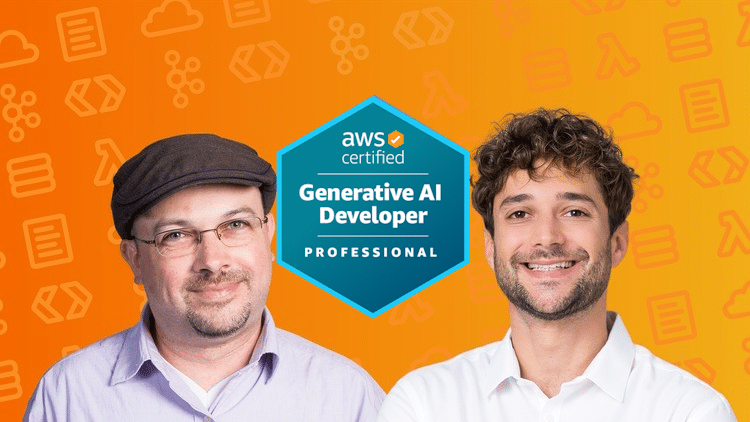
Become an AWS GenAI Developer Pro: Complete Training + 3 Full Practice Exams

If you want to build real generative AI applications on AWS and prepare confidently for the AWS Certified Generative AI Developer – Professional (AIP-C01) exam, I’ve put together two comprehensive resources to help you get there: a full 23-hour training course and a pack of six realistic practice exams.

Below are direct links to both, with your Udemy promotional pricing:

Whether you’re upskilling for work, preparing for certification, or diving deeper into AWS Bedrock and agentic AI, these two resources work together to give you both hands-on skills and exam-ready confidence.

Ultimate AWS Generative AI Developer – Professional (AIPC01) Prep Course

Co-produced with bestselling AWS instructor Stéphane Maarek

The prep course is a complete, structured path through everything the AIPC01 exam expects you to know. You’ll learn how to architect, build, evaluate, and optimize generative AI systems on AWS in a practical, real-world way.

The course includes:

  • 22 hours of HD video content
  • 50+ hands-on labs and exercises
  • A full-length 75-question practice exam
  • Downloadable PDF study guides and slide decks
  • Clear coverage of every domain and skill in the exam guide

You’ll get deep, practical experience with AWS Bedrock, Retrieval-Augmented Generation (RAG), agentic AI workflows, Prompt Flows, Evaluations, Data Automation, SageMaker integration, orchestration patterns, security, and more.

Enroll in the prep course:
https://www.udemy.com/course/ultimate-aws-certified-generative-ai-developer-professional/?couponCode=GENAI-PRO-LAUNCH


AWS GenAI Developer Pro AIP-C01 – Three Full Practice Exams

225 exam-style questions across 3 complete tests

To find out whether you’re truly ready for the Professional-level exam, these three practice tests simulate the real thing as closely as possible.

Each exam includes:

  • 75 scenario-based questions
  • Accurate domain weighting
  • Realistic difficulty and depth
  • Professional-level reasoning and architectural thinking

Every question comes with a fully detailed explanation — not just for the correct answer, but for all incorrect ones as well — so you can understand the logic behind every choice.

These exams help you identify strengths, uncover knowledge gaps, and walk into the real test with confidence.

Take the practice exams:

https://www.udemy.com/course/aws-certified-generative-ai-developer-pro-3-practice-exams/?referralCode=B107C536635DCF2D358D


Why These Two Resources Work Together

The AIP-C01 exam doesn’t test memorization — it tests real GenAI engineering skills, architectural judgment, and your ability to reason through complex AWS scenarios.

By combining:

  • A full 22-hour instructional course
  • 50+ hands-on GenAI labs
  • A complete course practice exam
  • PDF slides and study guides
  • Three additional full-length practice exams
  • 225 detailed, fully explained questions

…you get a complete learning and practice system designed to help you succeed.


Quick Links (In Case You Skipped Ahead)


Thanks for reading, and good luck on your journey toward AWS’s Generative AI Developer Professional certification. If you take the course or the practice exams, I’d love to hear how they help you — and how you perform on exam day.

Two new courses on Agentic AI!

It’s been a busy month! We’ve released not one but two new courses to get you up to speed on developing AI agents… and it’s not just theory, it’s hands-on, production-focused training.

Start with the basics with our AI Agents Crash Course: Building with Python and OpenAI. I’ve teamed up with Zoltan C. Toth to give you an intense but quick hands-on session learning and applying agentic AI. In four hours, you’ll build and deploy your own agentic nutrition advisor application! Click the image below for more details, exclusively on Udemy:

Next, dive deeper on deploying your agentic AI systems at scale on AWS using Amazon Bedrock AgentCore. AgentCore even works with OpenAI Agents SDK applications, in addition to Strands, CrewAI, and more. It provides a serverless hosting environment for your agents, as well as features to make authentication, memory, and common tools easy to integrate at massive scale. Check out “Amazon AgentCore: Scale your Agentic AI to Production” right here on Sundog Education:

AgentCore Course Image

From theory, to development, to deployment at scale – we’ve got your back on the agentic AI craze. Update your AI engineering skills with Sundog Education and Zoltan’s NordQuant!

Beyond Chat Completions: How the OpenAI Responses API Changes the Game

The OpenAI API ecosystem continues to evolve at a rapid pace. While many developers have become comfortable with the Chat Completions API, there’s a new player in town that offers more flexibility and powerful capabilities. The Responses API represents the next generation of OpenAI’s interface, combining the ability to handle both text and image inputs, manage ongoing conversations, and integrate with a variety of built-in and external tools. In this article, we’ll explore how this API works, what makes it different from its predecessors, and how you can leverage its features—from web search integration to reasoning models—to build more sophisticated AI applications.

This article is based on the lesson from the e-learning course Machine Learning, Data Science, and AI Engineering with Python, which provides comprehensive insights into using the OpenAI Responses API.

Meet the Responses API

Initially, there was the Completions API, which was then replaced by the Chat Completions API. Today, we have the Responses API, which is the latest and most advanced way to utilize the OpenAI API.

Flexible Inputs, Outputs, and Ongoing Conversations

The Responses API is simpler and more flexible, offering enhanced capabilities. It accepts both text and image inputs, and outputs can be in text or structured JSON format. While images can be generated using external tools, the API’s built-in features for managing conversation state make it easier to maintain ongoing dialogues. Each response can reference previous interactions, allowing for seamless conversation continuity. Additionally, the API supports streaming, providing real-time response feedback for a more interactive experience.

Integrating Powerful Tools

The Responses API supports a variety of tools, enhancing its flexibility. Like the Chat Completions API, you can incorporate your own functions and build custom tool capabilities. Additionally, the Responses API offers several built-in tools. For instance, it includes a web search tool that allows you to access real-time information from the web, beyond the model’s pre-existing data. It can also perform file searches if you provide the necessary files, offering a straightforward way to implement retrieval-augmented generation (RAG) techniques. Furthermore, the API includes an image generation tool, although using this feature requires organizational validation through an identity check. This means you can utilize the latest GPT image model within the Responses API without needing the separate Image API.

Connecting with External Systems via MCP

The Responses API includes the ability to connect with remote Model Context Protocol (MCP) servers. MCP allows organizations to expose their data capabilities to AI systems in a straightforward manner. For example, you can interface with GitHub to retrieve information about a repository using GitHub’s MCP server. Similarly, a Shopify MCP server might enable you to add items to a shopping cart using plain English commands, such as “Add this item with this item ID to this cart ID.” The MCP protocol informs OpenAI about the functions and usage of these external systems, making it a powerful new capability.

Code Execution and Computer Control

The Responses API includes a code interpreter tool that allows you to write and execute code as part of the response. Additionally, it offers computer control capabilities, although this feature is still in its early stages and requires significant approvals due to its potential for misuse. This functionality enables the API to control a browser or other desktop applications by analyzing screenshots to determine which actions to take. While this opens up vast possibilities for automation, it also presents risks, highlighting the need for careful implementation.

The Power of Reasoning Models

The Responses API supports reasoning models, such as o3 and o1, which allow you to specify the level of reasoning effort—low, medium, or high—in your requests. These models use reinforcement learning to break down complex tasks into a “chain of thought,” effectively transforming high-level goals into actionable subtasks. This approach is similar to traditional language models but is enhanced by training on examples of problem decomposition.

Reasoning models are particularly useful for coding complex systems, refactoring, and planning large code bases. They excel in STEM research, such as identifying new compounds for antibiotics in biotech. Essentially, these models act like a senior-level employee, capable of handling complex tasks, whereas non-reasoning models are more akin to junior-level employees.

Cost Considerations for Reasoning

Reasoning models in the Responses API can quickly accumulate tokens, known as reasoning tokens, as they break down tasks into a chain of thought. While these tokens are crucial for the model’s internal processing, they are not visible to users. To manage costs, you can set a max_output_tokens parameter to limit the number of tokens generated. However, reaching this limit may result in incomplete responses, so it’s important to experiment with this setting to balance cost control and response completeness.

Additionally, obtaining a summary of reasoning tokens requires organization verification. This feature is not demonstrated in the hands-on example due to these requirements.

Hands-on Examples with the Responses API

Let’s explore some hands-on examples to see how the Responses API operates in various scenarios. We’ll walk through code snippets that demonstrate its capabilities. To begin, we create an OpenAI client, ensuring that the API key is stored in an environment variable for seamless access.

import os, base64, json
from openai import OpenAI

client = OpenAI()

To simplify future updates as new models are introduced, we define the models centrally. Currently, we’re using GPT-4o and the o4-mini reasoning model to save on costs. As new models become available, you can update these definitions accordingly.

model_name="gpt-4o"
reasoning_model_name="o4-mini"

Let’s begin with a straightforward example of using the Responses API to get a text response from a simple prompt. To create a response request, we use client.responses.create, specifying the model we want, such as GPT-4o. The input is the prompt itself: “Who is this Frank Kane guy on Udemy anyhow?”

We can also include additional parameters, such as instructions, which act as a system prompt. For instance, we might instruct it to “always talk like a pirate.” When we receive the full response, it may include several parameters. We’ll format this response neatly and print out the actual output text.

The output can be a bit complex, as it may contain multiple outputs. Each output element can have several content elements. To simplify, we’ll extract the first output element and its first content element to display the text.

# Simple text prompt and response...
response = client.responses.create(
  model=model_name,
  input="Who is this Frank Kane guy on Udemy anyhow?",
  instructions="Always talk like a pirate."
)

print("\nFull response:")
parsed = response.to_dict()
print(json.dumps(parsed, indent=2))

print("\nText only:")
print(response.output[0].content[0].text)

Analyzing Images with the API

In this section, we’ll explore how to use an image input with the Responses API. This process involves two main steps. First, you need to provide the image to the API. You can do this by uploading the image file using the Files API. For example, if you have an image file named bird.png, you would upload it and receive a file ID in return. This ID is crucial as it allows the API to reference the image.

The purpose of the file must be specified as “vision,” indicating that it’s an image for analysis. In our example, bird.png is a picture of a bird taken in a backyard, and we want the API to identify the bird.

Next, you create a response request using client.responses.create. You pass in the model and the input in JSON format. The input includes both text and image data. The text asks, “What kind of bird is this?” and the image is referenced by the file ID obtained earlier. This combination of text and image input will yield a text output, which should identify the bird. Let’s see if the API gets it right.

# Image input, text output
file_response = client.files.create(file=open("bird.png", "rb"), purpose="vision")
response = client.responses.create(
    model=model_name,
    input=[{
        "role": "user",
        "content": [
            {"type": "input_text", "text": "What kind of bird is this?"},
            {
                "type": "input_image",
                "file_id": file_response.id,
            },
        ],
    }],
)

print("\nImage query:")
print(response.output_text)

Real-time Information with Web Search

Let’s explore how to use built-in tools with the Responses API, specifically the web search tool. This tool allows you to obtain real-time information, such as the current stock price of a company like Udemy. To use this feature, you need to specify an array of tools in your request. This array can include multiple tools, and the API will determine the most suitable one for your query. In this example, we use the web search preview tool, which accesses the internet to provide up-to-date answers, rather than relying solely on pre-existing training data. This capability allows you to receive current information directly from the web.

#Using a built-in tool
response = client.responses.create(
    model=model_name,
    tools=[{"type": "web_search_preview"}],
    input="What is the current stock price of UDMY?"
)

print("\nUsing the built-in web search tool:")
print(response.output_text)

Building Conversational Flows

In this example, we demonstrate how to maintain conversation state using the Responses API. We start by asking, “What is 5 plus 4?” and use the response ID from this query to inform a subsequent request. By passing the previous response ID into the next query, we can chain responses together. For instance, after receiving “9” as the answer to the first question, we can ask, “Add three more to that.” The API will then provide “12” as the answer, demonstrating its ability to maintain context across multiple interactions. This feature allows for seamless conversational flows where each response builds on the previous ones.

#Conversation state (chaining responses together)

print("\nConversation state demo:")
response = client.responses.create(
    model=model_name,
    input="What is 5 + 4?",
)
print(response.output_text)

second_response = client.responses.create(
    model=model_name,
    previous_response_id=response.id,
    input="Add 3 more to that.",
)
print(second_response.output_text)

Integrating External Data with MCP

The Model Context Protocol (MCP) is another powerful tool you can use with the OpenAI API. MCP allows external servers to define and expose their capabilities, which the API can then utilize. This makes integration straightforward. You simply specify the model and the MCP tool, providing a name and a URL for the server.

For instance, using GitHub’s MCP server, you can directly query information about the PyTorch project. By passing in a URL like gitmcp.io/username/repository, the MCP tool communicates with the server to understand its capabilities. If you ask, “How do I compile PyTorch with CUDA support?”, the tool will search the repository and return relevant information based on the current GitHub data.

While MCP simplifies accessing external data, it’s important to manage security and costs, as tool calls can become complex and expensive. You might need to specify which tools within an MCP server are permissible to use. For now, we’ll demonstrate its functionality by printing the full response to confirm the tool’s interaction and then display the final output text suitable for an end user.

#MCP demo
resp = client.responses.create(
    model=model_name,
    tools=[
        {
            "type": "mcp",
            "server_label": "gitmcp",
            "server_url": "https://gitmcp.io/pytorch/pytorch",
            "require_approval": "never",
        },
    ],
    input="How do I compile PyTorch with CUDA support?",
)

print("\nMCP (model context protocol) usage:")
print("\nFull response:")
parsed = resp.to_dict()
print(json.dumps(parsed, indent=2))
print("\nOutput only:")
print(resp.output_text)

Solving Complex Problems with Reasoning

Let’s explore a reasoning demo using the Responses API. We’ll use a scenario involving retirement planning to demonstrate the capabilities of the reasoning model, specifically the o4-mini model. In this example, we consider a hypothetical 50-year-old with a million dollars in savings, seeking advice on when he can retire safely. While this model provides insights, it’s important to note that it should not be used for actual financial planning, as results can vary with each run.

The reasoning model attempts to break down complex tasks into subtasks, forming a “chain of thought” to arrive at a solution. You can specify the level of reasoning effort—low, medium, or high—depending on your needs. In this case, we’ll use a medium effort level. Additionally, if your account has organizational verification, you can request a summary of the reasoning process.

We’ll input the problem specifics and examine the full response to understand the reasoning tokens involved. The output will include a summary of the reasoning process and the final answer. Let’s see how the model tackles this problem.

#Reasoning demo
prompt = """
Create a retirement plan for a 50-year-old male of average health in the United States.
Assume he has the maximum social security benefits, and that the expected reduction in benefits in 2033 occurs.
His current liquid assets saved are $1 million. How much more must he save each year in order to retire at age
age 60, or age 65? His retirement goal is to survive until death on $100K per year, adjusted for inflation.
"""

response = client.responses.create(
    model=reasoning_model_name,
    reasoning={"effort": "medium"}, # For a reasoning summary, you would add "summary": "auto" - but this requires org. verification
    input=[
        {
            "role": "user",
            "content": prompt
        }
    ]
)

print("\nReasoning demo:")
print("\nFull response:")
parsed = response.to_dict()
print(json.dumps(parsed, indent=2))
print("\nOutput text only:")
print(response.output_text)

Embracing the Future with the OpenAI Responses API

The OpenAI Responses API represents a significant evolution in how developers can interact with AI models. We’ve explored its flexible input/output capabilities, built-in tools like web search and code interpretation, integration with external systems via MCP, and the powerful reasoning models that can tackle complex problems. This API combines the best features of its predecessors while adding new capabilities that make building sophisticated AI applications more accessible. By understanding these features, you’re better equipped to create more dynamic, context-aware applications that can handle a wider range of tasks. Thank you for taking the time to learn about this powerful new tool in the OpenAI ecosystem.

If you found this overview of the OpenAI Responses API valuable, there’s much more to discover in the complete Machine Learning, Data Science, and AI Engineering with Python course. The full course dives deeper into practical implementations, provides hands-on exercises with real-world applications, and covers additional topics like fine-tuning GPT models, advanced RAG techniques, and building LLM agents. With 20 hours of comprehensive content, you’ll gain the skills needed to implement these technologies in your own projects and stay at the forefront of AI development.

About the author:

Frank Kane brings his 9 years of experience as a developer at Amazon and IMDb to this course, offering insights that only come from working at the cutting edge of technology. With 26 issued patents and extensive experience building recommendation systems and machine learning solutions at scale, Frank has a proven track record of translating complex technical concepts into accessible learning materials. His practical, hands-on approach has helped over one million students worldwide develop valuable skills in machine learning, data engineering, and AI development, making him a trusted guide for your journey into advanced AI technologies.

Beyond Vibe Coding: Mastering Claude Code for Maintainable Software

Working with AI coding assistants like Claude Code can dramatically speed up development—but only if you approach it with the right mindset. As someone who’s spent countless hours pairing with these tools, I’ve learned that the difference between generating useful code and creating a maintenance nightmare often comes down to how critically you evaluate what the AI produces. In this article, I’ll share practical strategies for guiding Claude to write better code, avoiding technical debt, and establishing workflows that keep you in control of your codebase. Whether you’re just starting with AI coding assistants or looking to refine your approach, these best practices will help you maintain code quality while still benefiting from Claude’s capabilities.

This article is based on the lesson from the e-learning course Claude Code: Building Faster with AI, from Prototype to Prod, which explores best practices for coding with AI.

Don’t Get Lazy: Be Critical with Claude’s Code

When coding with Claude Code, it’s crucial to remain vigilant and critical. It’s tempting to accept everything Claude generates without scrutiny, but this can lead to a tangled mess of code that’s difficult to maintain. Instead, review the code carefully and test it thoroughly before committing to it. If necessary, make changes yourself or guide Claude to improve specific parts. This proactive approach prevents the accumulation of technical debt and ensures that the code aligns with your architectural standards. Stay engaged and monitor what Claude is doing to maintain control over your codebase.

Guiding Claude for Better Results

When working with Claude, it’s important to request changes in small, manageable chunks. Avoid assigning broad, ill-defined tasks that could lead to unexpected results. Break down larger tasks into smaller subtasks to maintain control. While Claude can handle some task segmentation, providing detailed guidance as an experienced developer enhances the outcome.

If you encounter unsatisfactory code, don’t accept it blindly. Reject it and provide specific feedback on what needs to change. This approach, often referred to as avoiding “vibe coding,” ensures that the code remains maintainable. Be specific in your instructions; rather than saying “fix the bug,” detail the exact changes needed for better results.

For new codebases, allow Claude to explore and understand the architecture first. Use commands like /init to initiate this exploration and ask questions about the code’s structure. The more context Claude has, the better it will perform in writing code that fits within the existing framework. Ensure this context is established before requesting any changes.

Architecture First: Planning with Claude

Begin any project by focusing on the architecture. Claude can assist in designing the system’s architecture, especially if you’re uncertain about the best approach. The more detailed guidance you provide about your desired architecture and tools, the more accurately Claude can align with your vision.

Document your architectural plans in the CLAUDE.md file to store them in Claude’s memory. This file acts as a reference point for consistent instructions across sessions. Once your architecture is outlined, you can request Claude to generate diagrams in formats like Mermaid, which can be easily shared with colleagues through platforms like Notion or Markdown notebooks. This capability allows Claude to aid in documenting and sharing your work effectively.

Understanding Claude’s Memory: The CLAUDE.md File

The CLAUDE.md file is a crucial component in your project folder, serving as a memory bank for Claude Code. This file ensures consistency across your coding sessions by storing any recurring instructions you want Claude to follow. Think of it as a system prompt in generative AI.

If you have a specific system architecture, testing procedures, or formatting preferences (like tabs versus spaces), document them in CLAUDE.md. This way, these preferences are consistently applied every time you use Claude.

A handy shortcut in the Claude Code interface allows you to add instructions to this file by simply typing a hashtag followed by your directive. For example, typing # use spaces instead of tabs will automatically add this preference to CLAUDE.md.

Claude can assist in generating and updating this file, but it’s your responsibility to ensure it remains current. You can prompt Claude to update the memory file after making changes, but remember, it won’t update itself automatically.

Putting It All Together: Effective Collaboration with Claude Code

Throughout this article, we’ve explored key strategies for working effectively with Claude Code: maintaining a critical eye when reviewing generated code, providing specific guidance for better results, prioritizing architecture planning, and leveraging the CLAUDE.md file to maintain consistency across sessions. These practices help you harness Claude’s capabilities while avoiding common pitfalls that lead to unmaintainable code. By approaching AI coding assistance with these principles in mind, you can significantly accelerate your development process without sacrificing code quality. Thanks for taking the time to explore these best practices—they’ll serve you well as AI continues to transform software development.

If you found these insights valuable, consider exploring the complete Claude Code: Building Faster with AI, from Prototype to Prod course. The full curriculum takes you through building an entire online radio station web app from scratch, covering everything from rapid prototyping to production-ready implementation, including security scans, CI/CD pipelines, and GitHub Actions integration. You’ll gain hands-on experience with real-world scenarios where Claude Code shines—and where human judgment remains essential.

About the author:

This course is created by Frank Kane, a former Amazon Senior Engineer and Senior Manager with over 9 years of experience at Amazon and IMDb. Frank holds 26 issued patents in distributed computing, data mining, and machine learning, and has interviewed over 1,000 candidates as an Amazon ‘bar raiser.’ Through Sundog Education, he has taught more than one million students worldwide about machine learning, data engineering, and software development. His extensive industry experience and proven teaching methodology make him uniquely qualified to guide you through the practical applications of AI coding assistants in professional development environments.

🚀 New Course Launch: Build Web Apps with Claude Code – The AI Coding Assistant Changing Everything

We’re excited to announce the launch of our brand-new course:
Claude Code: Build Real Web Apps with an AI Coding Assistant

AI coding assistants are no longer a glimpse into the future—they’re already reshaping how developers work today. And the hottest tool in this space right now is Claude Code, a powerful, agentic AI assistant that runs right in your command line (CLI).

This course is your hands-on guide to using Claude Code not just to prototype—but to build and ship real software.


💡 Why This Course, and Why Now?

The software development landscape is evolving fast. Employers are increasingly expecting developers to incorporate AI tools into their workflows—just like IDEs, version control, or CI/CD pipelines.

If you don’t start learning how to work with AI now, you risk falling behind in a tight and competitive job market.

This course gives you the practical skills to stay ahead of the curve—while actually building something real and useful.


🧱 What You’ll Build

You won’t just be watching lectures. You’ll get your hands dirty by building a full-stack online radio station web app from scratch, using Claude Code every step of the way.

We start with “vibe coding” to rapidly create a local prototype. Then we go all the way to production, adding real-world engineering practices such as:

  • Unit testing and security scanning
  • Page speed optimization
  • GitHub Actions for continuous integration
  • Claude-powered automated code reviews
  • Issue resolution by tagging @claude directly on GitHub
  • Translating a wireframe and style guide into a polished front end

🧠 AI + Developer = Superpowers

Claude Code is powerful—but it’s not magic. This course teaches you how to collaborate with AI, guiding it to produce clean, secure, and maintainable code. You’ll learn to balance AI assistance with human engineering judgment, a critical skill for any modern developer.


🎓 Who This Course is For

  • Developers looking to boost their productivity with AI
  • Software engineers preparing for AI-integrated workflows
  • GitHub users who want to automate PR reviews and workflows
  • Anyone who wants to understand agentic AI tools in action
  • Learners who prefer building real projects, not just toy apps

🎯 About the Instructor

The course is taught by Frank Kane, a former senior engineer and senior manager at Amazon. Frank has taught over one million learners worldwide, and he brings his real-world experience and engaging teaching style to every lecture.


🔗 Ready to Build the Future?

Claude Code represents the next evolution in developer productivity. Don’t wait for AI to pass you by—learn how to harness it today.

👉 Click here to get started»

Celebrating one million learners!

It finally happened – we crossed the one million learner mark on Udemy!

It’s such a privilege to have that sort of impact all around the world. Every day, we hear from someone who got a new job, passed a certification, learned an important new skill, or aced an interview with our help.

Our students have come from 209 countries, speaking 67 languages. If you’re one of them, I’ll say it again – thank you for having me along on your learning journey!

Website improvements!

One of my resolutions for 2025 was to grow our own learning platform here on https://sundog-education.com. Third party platforms like Udemy have been great to us, but every year they take more and more of a cut, and we become more and more dependent on them.

So, we’re making the courses offered right here the best they can be for you, in hopes of earning your trust on our own platform. Some recent enhancements:

  • We’ve added every course we own 100% of the rights to on the Sundog Education platform. That includes our newest AWS Certified AI Practitioner prep course in addition to our catalog of artificial intelligence, machine learning, data science, data engineering, and tech management courses.
  • We’ve added English subtitles to every lecture in every course.
  • We’ve added certificates of completion to every course.
  • We’ve added community forums for every course, so learners can collaborate with each other, and with us.
  • We’ve replaced our payments platform with one that can properly handle VAT and GST taxes for you worldwide. This is especially important for learners in India, Europe, and the UK.
  • We’ve updated our testimonials from successful past students on every course.
  • Our video player now supports different playback speeds, and fast performance worldwide through a CDN.
  • Backend improvements to ensure stability, security, and performance of the site.

Already, the effort is starting to pay off – and we’re very thankful to those of you who have entrusted your learning experience to the Sundog Education platform. Of course, we continue to offer our courses on Udemy and elsewhere as well. But if you want your money to go directly to your instructor instead of some tech company’s shareholders, I hope you’ll consider staying here. Those other platforms often leave us with less than one dollar per enrollment.

Another reason to learn with us on Sundog Education is direct support from me, Frank Kane. On Udemy, we have a million students, and I can’t answer everyone’s questions personally. AI bots and teaching assistants are the first line of defense there. But if you run into any trouble here, just leave a comment on the lecture you’re stuck at, and I’ll chime in straight away.

As always, thank you for having me along on your learning journey!

-Frank